

Table of Contents
How to Create an Absher Account in Saudi Arabia
Absher is Saudi Arabia’s official online platform for accessing government services. Residents can register using their Iqama, Saudi mobile number, and other required information.
What You Need
- Valid Iqama or eligible ID
- Saudi mobile number
- Email address
- Username and password
How to Register for Absher
1. Open Absher
Visit the official Absher website and select New User.
2. Enter Your Information
On the registration page, enter your:
- Iqama/ID/Border Number
- Saudi mobile number
- Email address
- Username
- Password
- Preferred language
- CAPTCHA code
Note: You must also accept the Terms of Use and Privacy Policy.
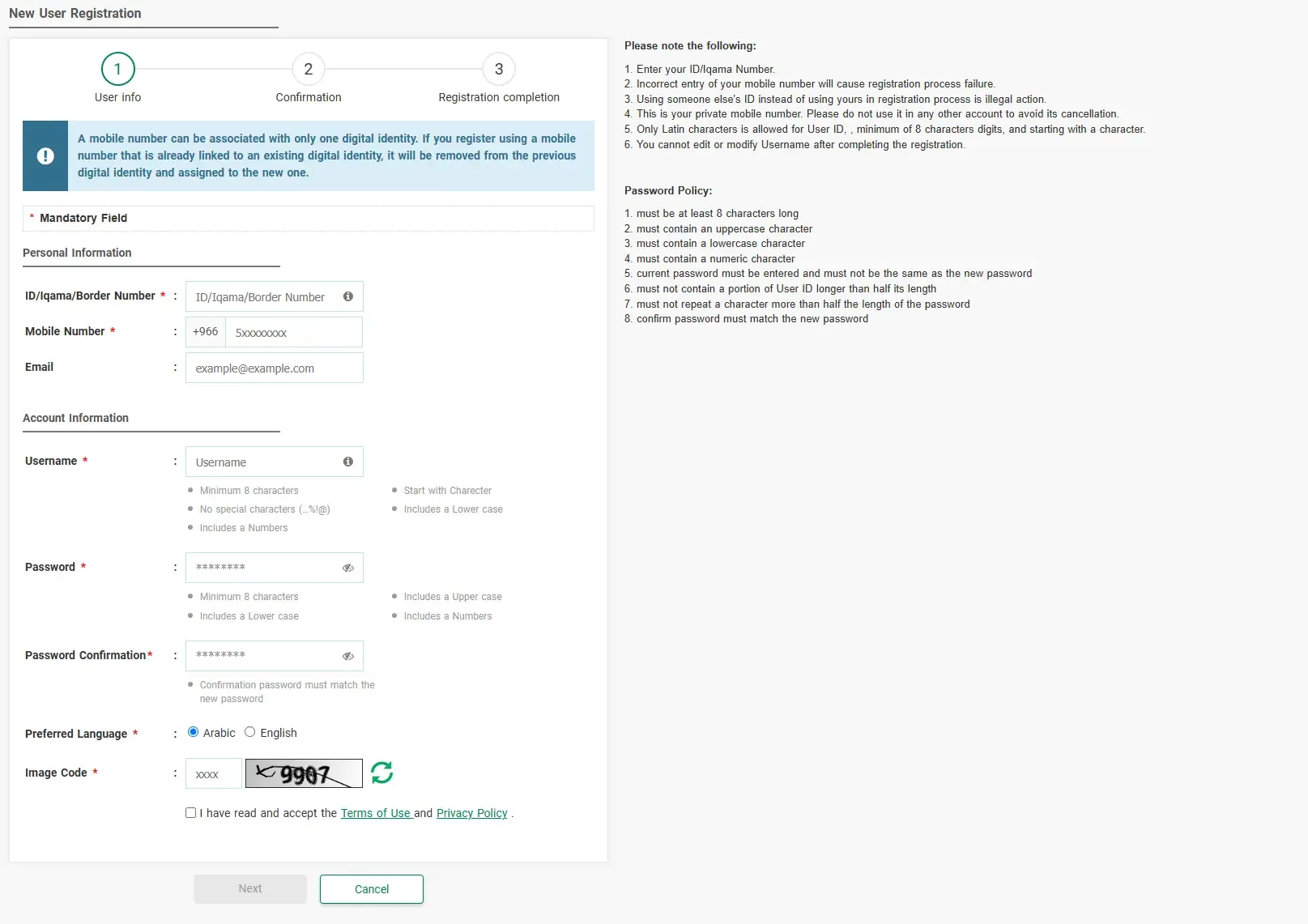
Absher New User Registration page showing the required information.
3. Confirm Your Registration
After submitting your information, Absher will move to the Confirmation stage. Follow the instructions shown on the screen and complete the verification using the code sent to your registered mobile number.
Absher's official guide states that an activation code is sent to the mobile number entered during registration.
4. Complete Registration
After successful confirmation, complete the remaining registration steps. Your Absher username and password will then be ready for use.
5. Activate Your Account
After registration, you may need to activate your Absher account. Absher provides activation through banks, self-service machines, and designated activation offices.
You can also learn how to activate your Absher account through Nafath in our related guide: How to Activate Absher Account via Nafath.
Important
Use your own Saudi mobile number. Absher states that using an incorrect mobile number can cause registration failure, and the same mobile number should not be used with another Absher account.