
محتويات المقال
How to Update Your Mobile Number in Absher
If you have changed your phone number and want to update the number linked to your Absher account, you can do it directly through the Absher app.
The process is straightforward and only takes a few steps.
Steps to Update Your Mobile Number in Absher
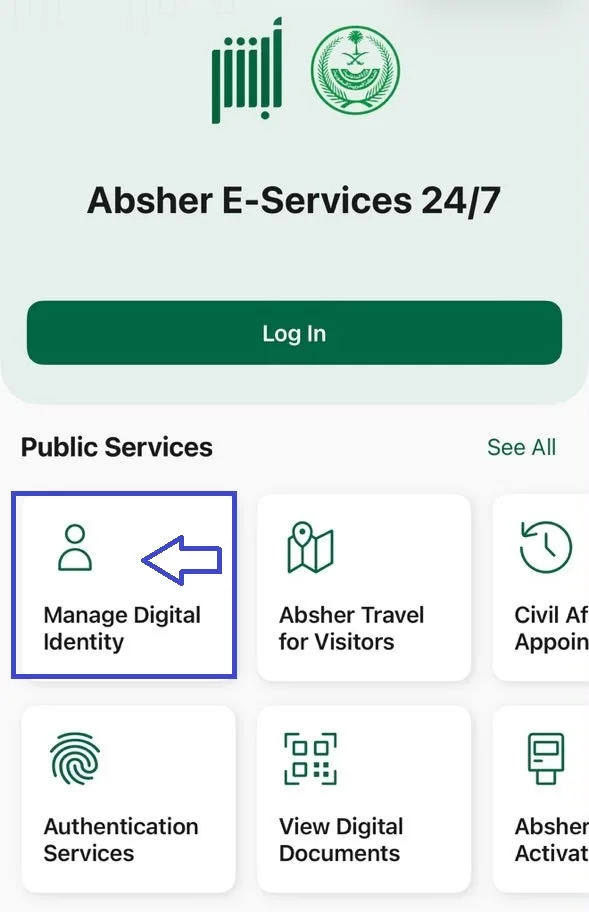
1. Open the Absher Mobile App
Open the Absher Mobile app on your smartphone and click on Manage Digital Identity.
2. Select “Change Mobile Number”
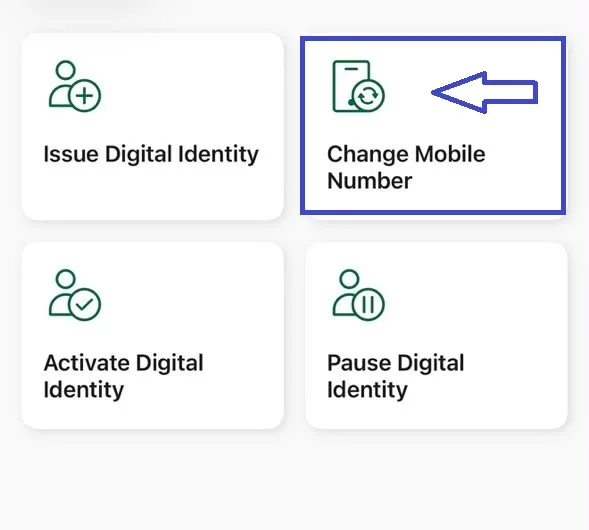
Inside Manage Digital Identity, you will see several options.
Select Change Mobile Number to start the process.
3. Enter Your Identity Details
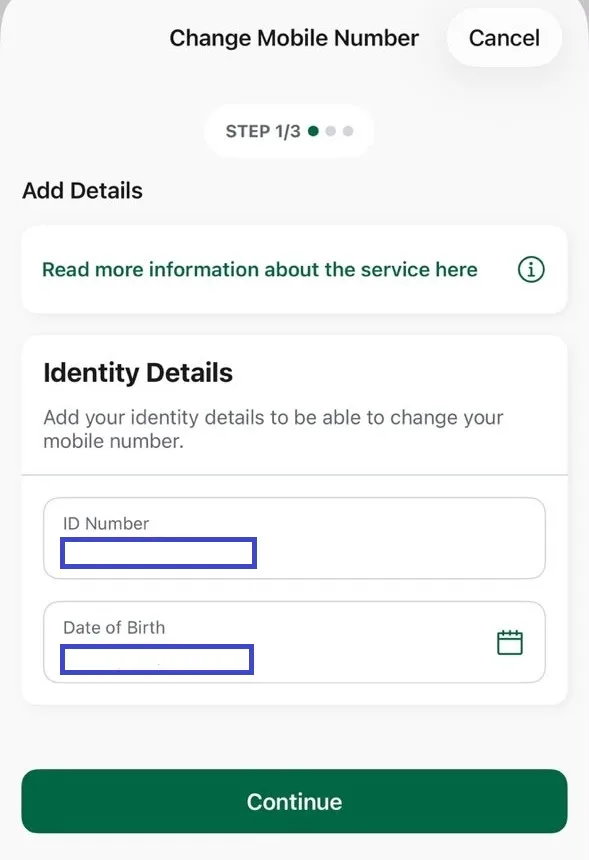
The service will ask you to provide your identity details.
Enter or confirm your ID Number and Date of Birth, then tap Continue.
4. Enter Your New Mobile Number
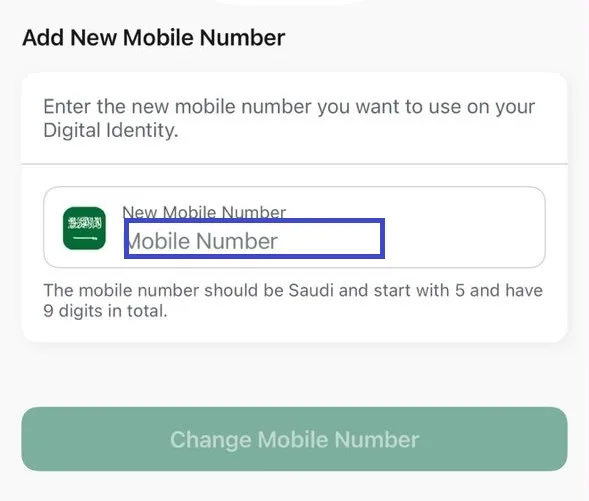
Enter the new Saudi mobile number you want to use with your Absher account.
The service indicates that the mobile number should be a Saudi number starting with 5 and contain 9 digits.
After entering the number, select Change Mobile Number.
5. Complete the Verification
Follow the instructions shown by Absher to complete the verification process.
Once the process is completed successfully, your new mobile number will be linked to your digital identity.
We don't need a screenshot here since you don't have a final confirmation screen.
Important Things to Know
Before starting the process, make sure:
- Your new mobile number is active and available to you.
- The number meets Absher's requirements.
- Your smartphone can capture images using its front and back cameras, as indicated in the service information.
- The new number is registered in your name or the name of one of your family members.
These requirements are shown directly in the Absher service information screen you captured.