
محتويات المقال
How to Apply for a Saudi Driving License
Eligible expatriate residents can apply for a Saudi driving license through Absher. The process includes booking a driving-school appointment, completing the required medical examination and training, and passing the required tests.
Can Expats Get a Saudi Driving License?
Yes. Eligible expatriate residents can apply for a Saudi driving license.
The requirements and process can vary depending on your residency status and the type of license you are applying for.
How to Apply for a Saudi Driving License
1. Log in to Absher
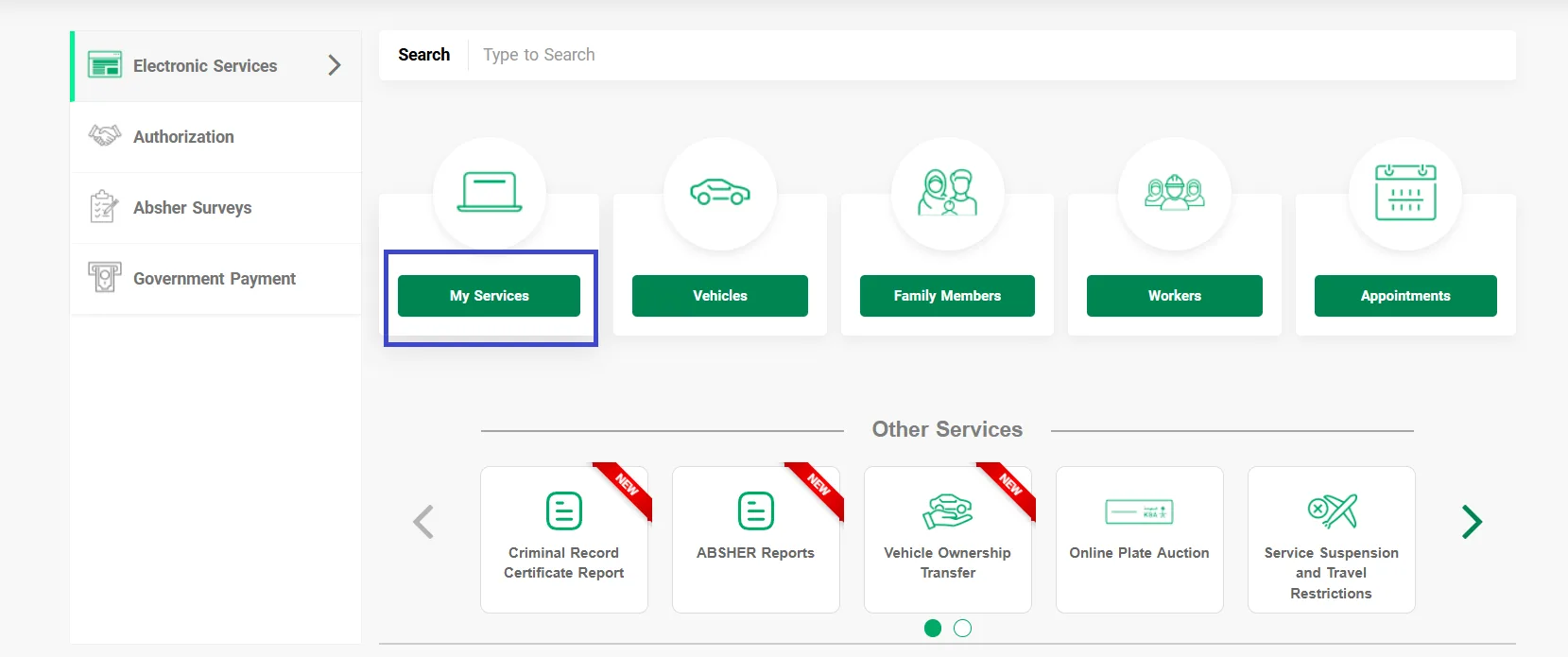
Log in to your Absher account and go to:
Select My Services
You will find several traffic-related services there.
Select Traffic:
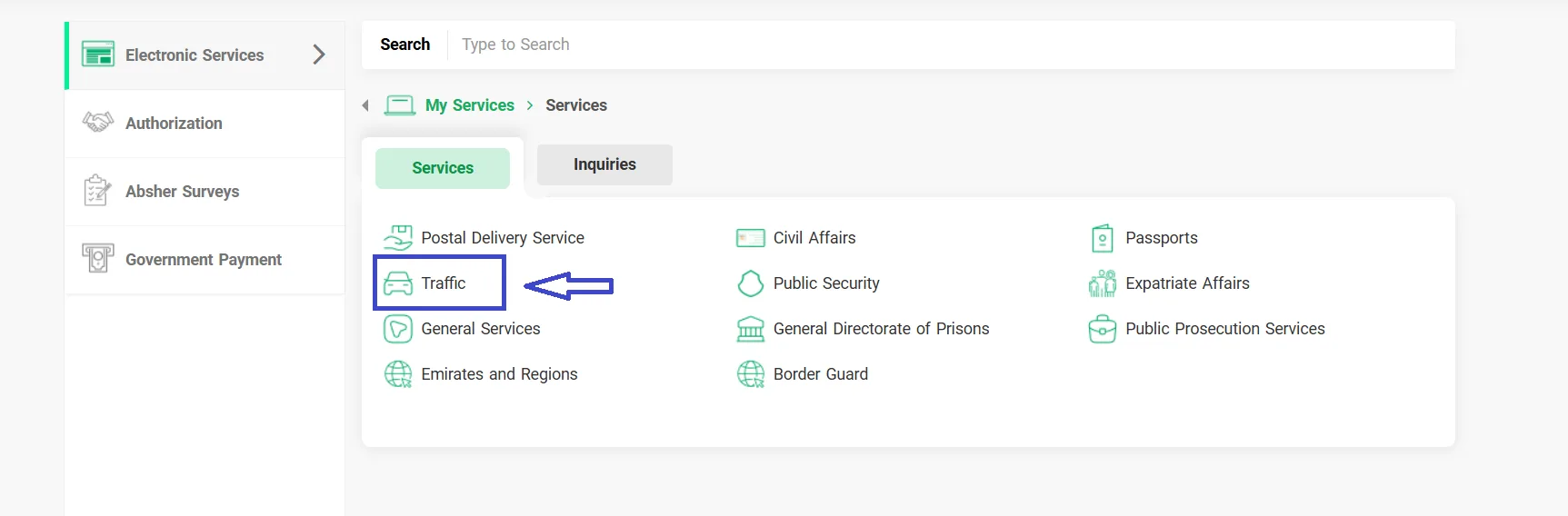
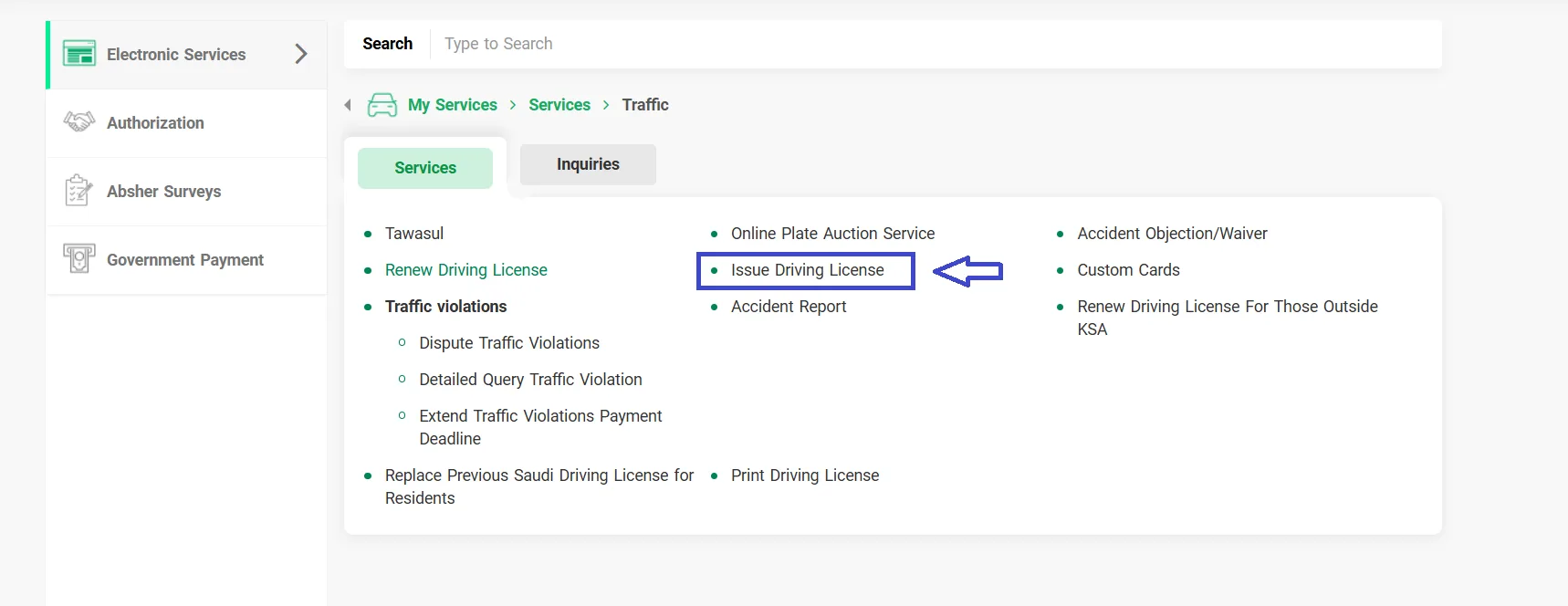
2. Select "Issue Driving License"
From the Traffic services, select Issue Driving License.
This service allows you to book and manage an appointment for obtaining a driving license.
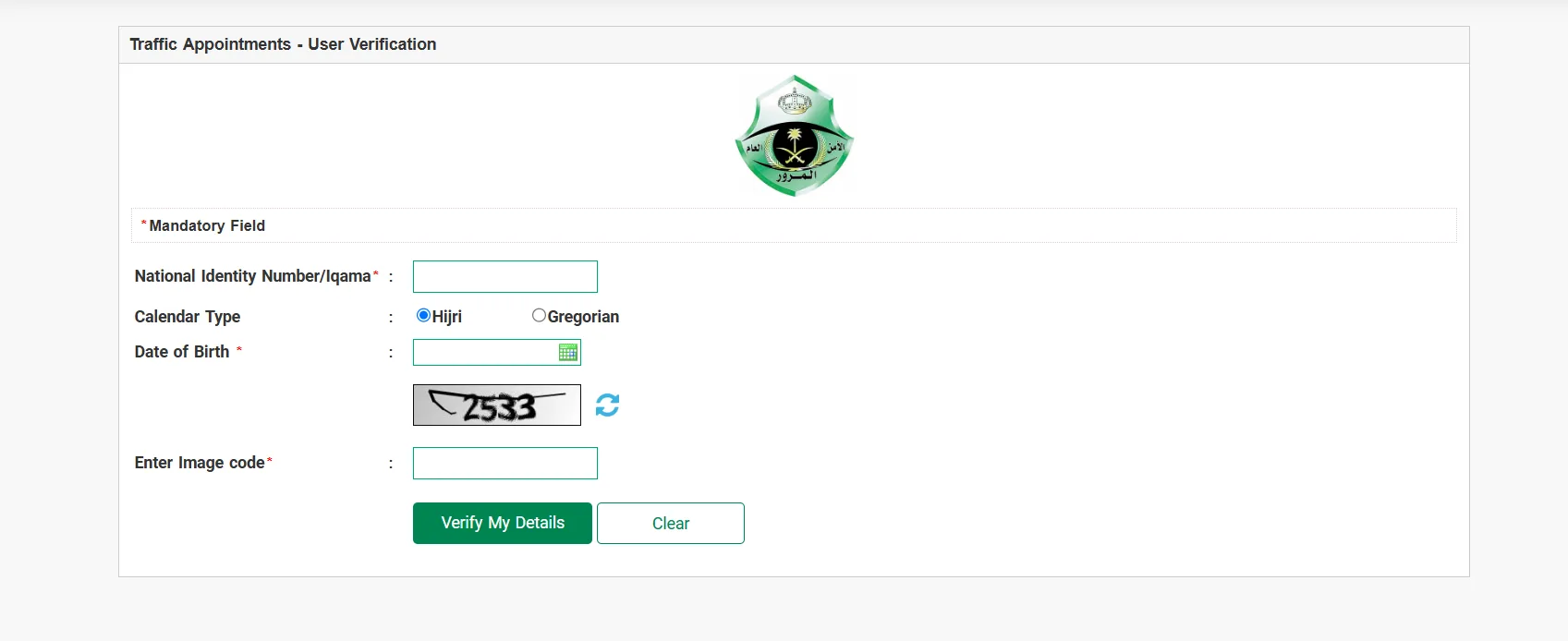
3. Verify Your Details
You may be asked to enter:
- National ID/Iqama number
- Date of birth in Hijri or Gregorian
- CAPTCHA code
Enter your information and select Verify My Details.
4. Proceed to the Service
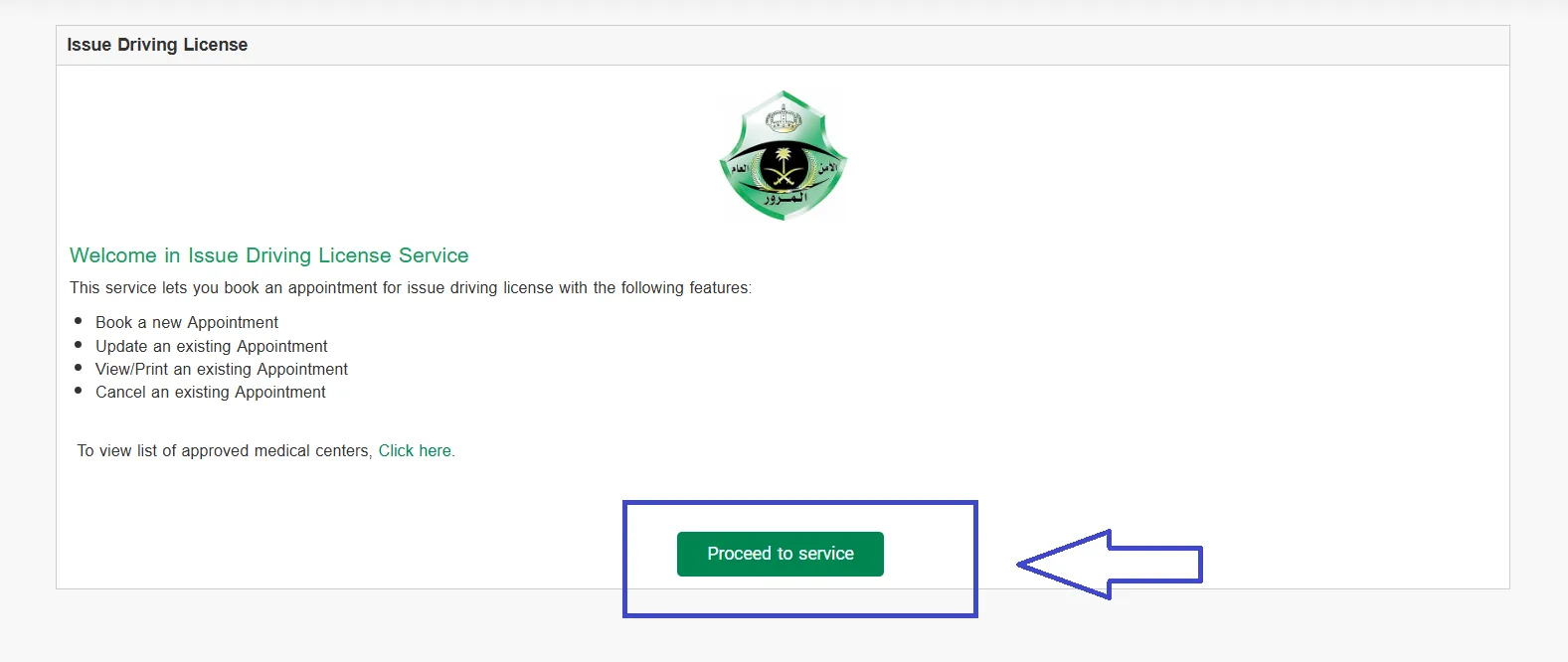
After verification, the Issue Driving License page will appear.
Select Proceed to service to continue with the appointment process.
5. Book a New Appointment
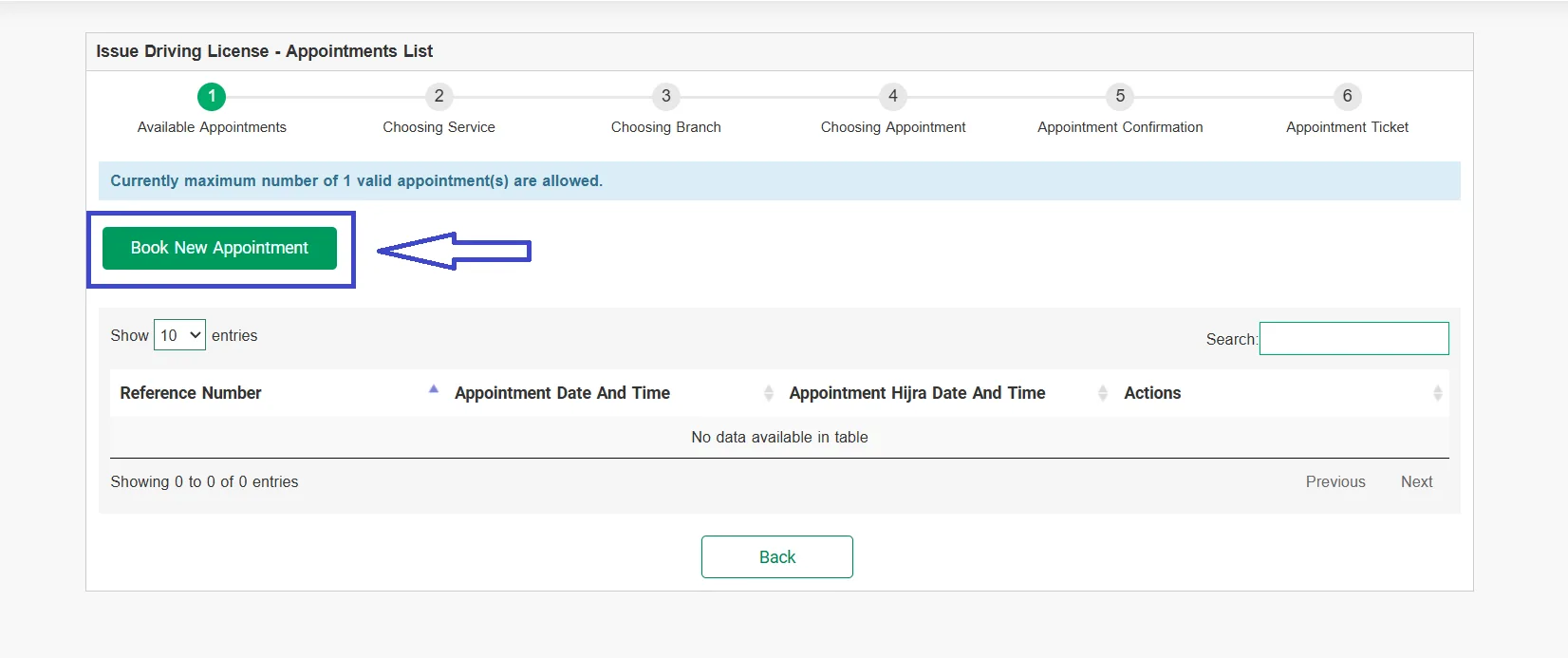
If you do not already have an appointment, select Book New Appointment.
The system will show your existing appointments and available options.
6. Choose the Driving Service
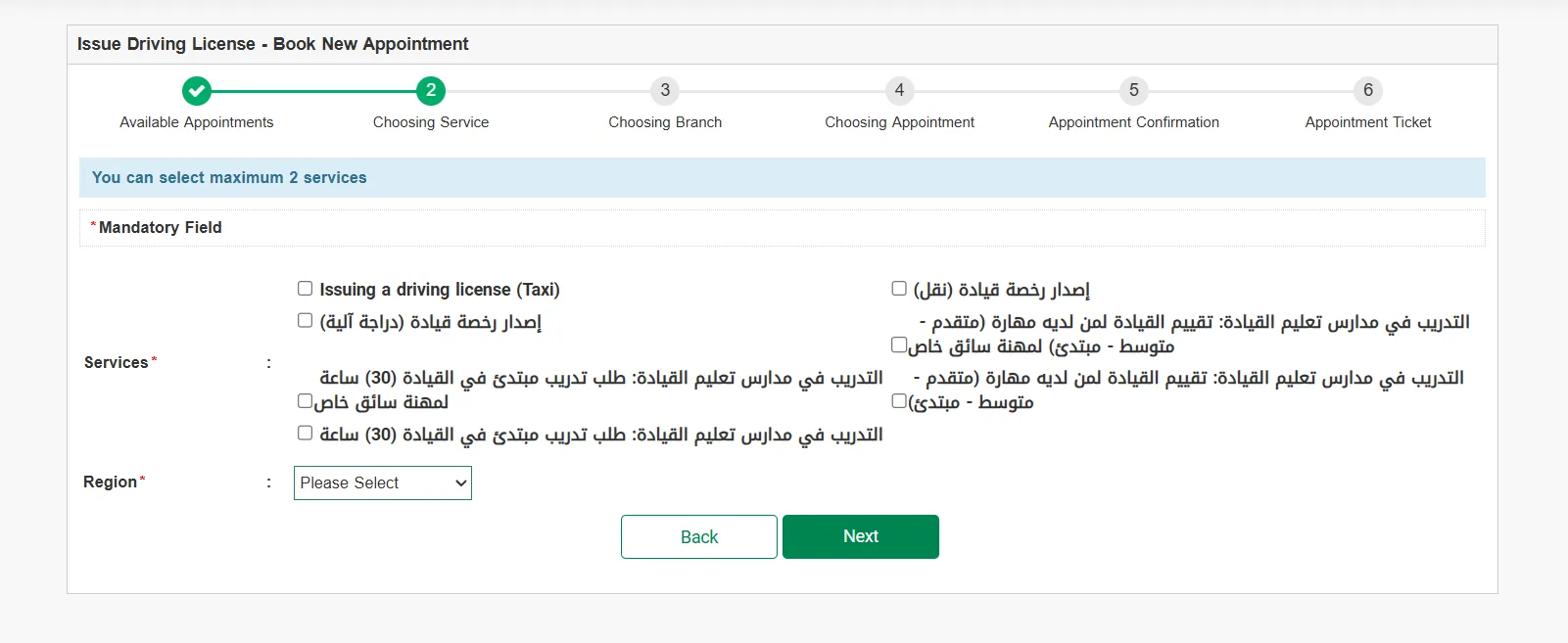
Select the appropriate driving-license or training service.
The system allows you to select up to two services on the appointment page shown in the process.
Then select your region and click Next.
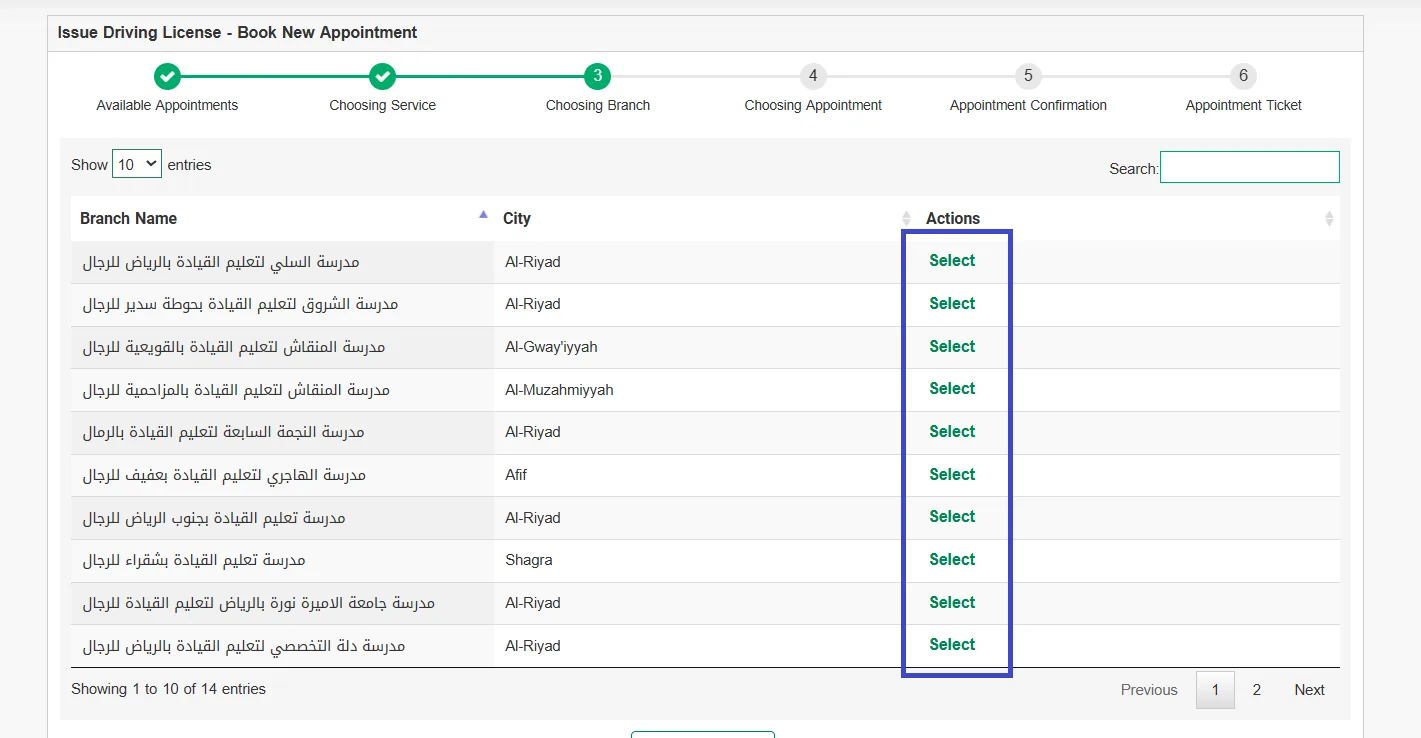
7. Select a Driving School
Available driving schools will be displayed with their branch names and cities.
Choose a suitable branch by clicking Select.
8. Select an Appointment
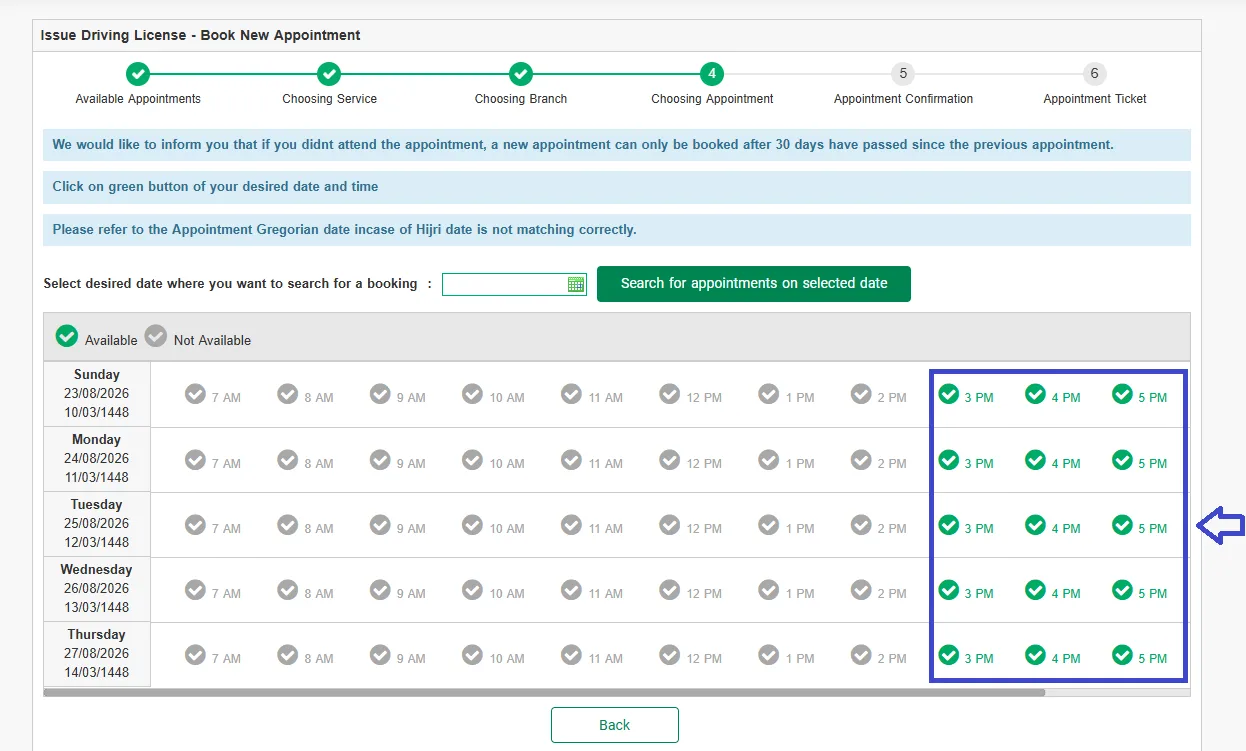
Choose your preferred date and time from the available appointments.
Green times indicate available appointments, while gray times are unavailable.
[Screenshot: Available Appointment Times]
9. Review Your Appointment
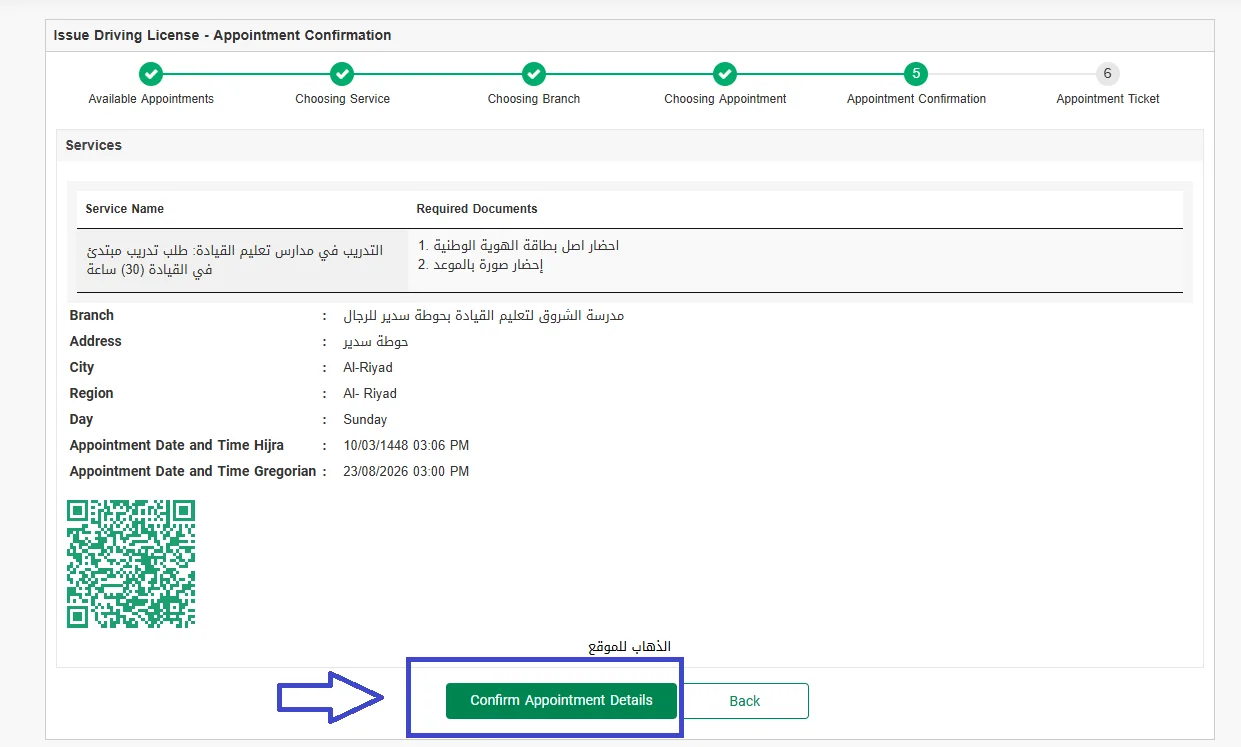
Before confirming, check the displayed information, including:
- Driving school
- Branch
- City and region
- Appointment date
- Appointment time
- Required documents
Make sure everything is correct.
10. Confirm the Appointment
Select Confirm Appointment Details to complete the booking.
The confirmation can include your appointment information and a QR code. Keep this information for your visit.
Medical Examination
A medical examination is required as part of the Saudi driving-license process.
The examination must be completed through an approved medical center.
We will publish a separate guide covering the driving-license medical examination and approved medical centers.
What Happens After the Appointment?
Depending on your situation, you may need to complete:
- Medical examination
- Driving training
- Required tests
- License issuance
The exact process can vary depending on the applicant and license type.
What If I Already Have a Foreign Driving License?
If you already have a valid foreign or international driving license, your procedure may be different depending on whether the license can be recognized or converted in Saudi Arabia.
Check the applicable requirements before starting your application.
How Long Does It Take?
There is no fixed processing time for everyone. The total time can depend on:
- Driving-school appointment availability
- Medical examination
- Training requirements
- Test results
- License issuance procedures
So, the process may take different amounts of time for different applicants.